
Programming a LiftMaster remote is usually straightforward, but the exact steps vary by opener model and Security+ generation.
Follow these safety-first instructions to successfully pair your remote, diagnose range issues, and know when to stop before attempting mechanical repairs.
Most LiftMaster remotes are paired by pressing a learn or program button on the opener, then pressing the remote button you want to use.
If you need to program LiftMaster remote controls on an older setup, the button location, indicator light behavior, and timing can vary by model.
The most common issues are weak batteries, an active lock or vacation mode on the wall control, poor range, or a receiver problem in the opener.
Stop immediately if the door is crooked, unusually heavy, noisy, binds in the tracks, or does not move smoothly. These are signs of a door or opener problem, not a remote issue.
If DIY does not solve it, start with garage door remote programming and replacement.
Before working with any LiftMaster garage door opener, take a minute to set things up safely. Most remote programming jobs are simple. Problems start when homeowners turn a small pairing task into a full mechanical inspection.
A remote issue can hide a larger opener or door problem. In the field, some of the most common false alarms are actually dead batteries, poor range, wall-button lock mode, or sensor issues. But if the door itself is heavy, crooked, or straining, that is no longer a safe remote-only project.
If anything about the door’s movement looks wrong, it is safer to schedule a garage door repair visit instead of repeated testing.

If you want to program a LiftMaster remote, this is the general step by step process that works for many residential setups. Button placement, indicator lights, and timing can differ by opener model and remote generation, so treat these as safe general instructions, not a substitute for your manual.
Start by confirming you have a compatible remote and a working opener. If the remote is new, install the battery first. If it is older, replace the battery before you troubleshoot anything else.
Look at the opener head and remote closely. Even within the LiftMaster family, older and newer combinations may not program exactly the same way. If something about your setup looks different from what you expect, pause and check the manual.
Find the Learn button on the motor unit, usually near the hanging antenna wire or behind the light lens. Identify the color: Yellow (Security+ 2.0), Purple (315MHz), Red/Orange (390MHz Rolling Code), or Green (Billion Code). The button color tells you which LiftMaster remote frequency and generation are compatible with your opener.
Do not guess and do not hold buttons randomly. On some systems, long presses can affect stored programming. If you cannot clearly identify the learn button or cannot access the opener safely, it is smart to switch to garage door opener repair and installation instead of forcing it.
Press and release the learn or program button on the opener. On many systems, this creates a short pairing window.
This is the point where homeowners often rush. Slow down. If the opener does not show a clear sign that it entered pairing mode, check your manual before repeating the step over and over.
Within the programming window, press the remote button you want assigned to that door. Some systems accept it on the first press. Others may need a second press within a short time.
You may hear a click or see a light flash, depending on the unit. Not every opener responds the same way, so do not assume failure too early.
Move to a safe position and test the button.
If the door opens and closes smoothly, the pairing worked. If nothing happens, repeat the process one more time carefully. If it still fails, the issue may be battery, range, memory, receiver, wall-control lock mode, or the opener itself.
For model-specific instructions, always consult the owner’s manual that came with your opener. Button color, timing, and pairing windows can vary between older Security+ systems and newer generations.
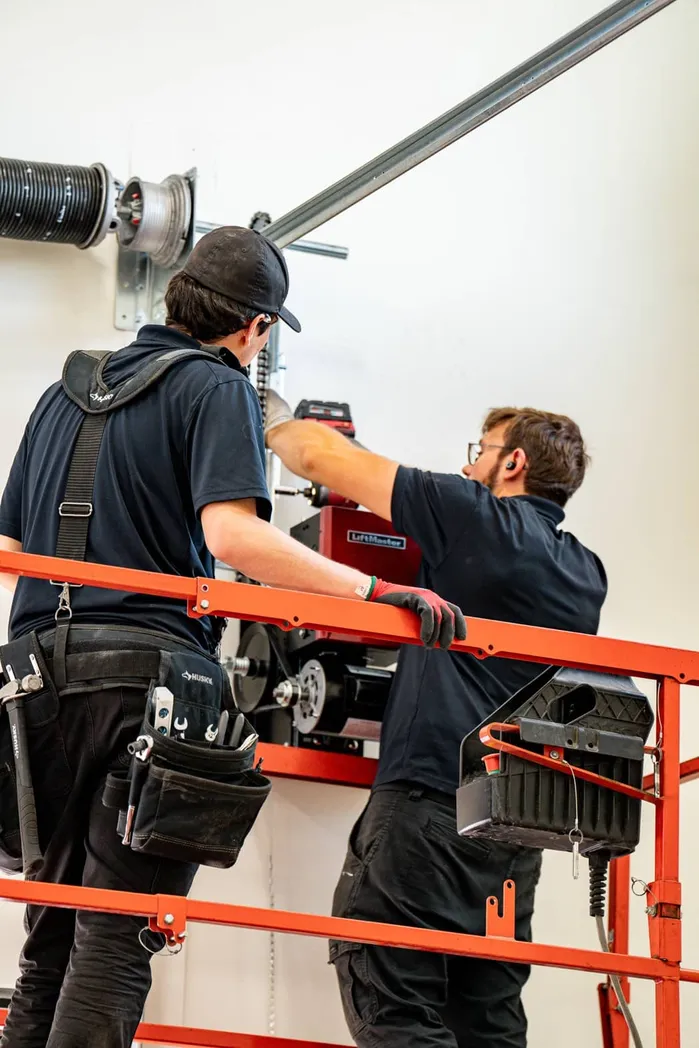
Adding another remote usually follows the same pattern. Put the opener into programming mode, then press the button on the second remote you want to pair.
If you are replacing a lost remote, sold the house, or want to remove old access, you may need to clear stored memory first. That step can erase all programmed garage door remotes on some systems, so do not do it casually.
If your goal is to wipe the old setup and start fresh, read our guide on resetting a garage door remote step by step.
If one remote has multiple buttons, assign them intentionally and test each one right away. That simple step prevents a lot of confusion later, especially on homes with two doors.
If the pairing steps did not work, here are the most common reasons homeowners run into trouble.
A+ Garage Doors can inspect the full system and explain what is necessary versus recommended, without pressure.
These are usually reasonable for a homeowner:
Stop and get help if:
Remote programming should never become spring, cable, balance, or structural troubleshooting. Those parts can be dangerous without the right tools and training.
If you are at that point, use garage door repair service, 24/7 emergency garage door repair, or contact A+ Garage Doors for a system check.
A+ Garage Doors has served homeowners since 2005 and maintains full IDA certification. Our technicians provide remote programming assistance, opener repairs, and full system installations throughout Northern Utah, Southern Utah, and the Las Vegas valley. You can view our full list of service areas to confirm coverage for your neighborhood.
If your remote still will not pair, range is poor, or you are not sure whether the problem is the remote, receiver, wall control, or opener itself, you do not have to keep guessing. A technician can inspect the full system, explain what is necessary versus recommended, and help you choose the right next step.
If you tried the steps above and the remote still is not working, A+ Garage Doors can help you sort out the cause without turning it into guesswork. Whether you need remote programming help, opener troubleshooting, or a full system inspection, start with the option that fits best:
